
The Myth That a Popular Kids English Language iPhone App Needs Long Daily Sessions
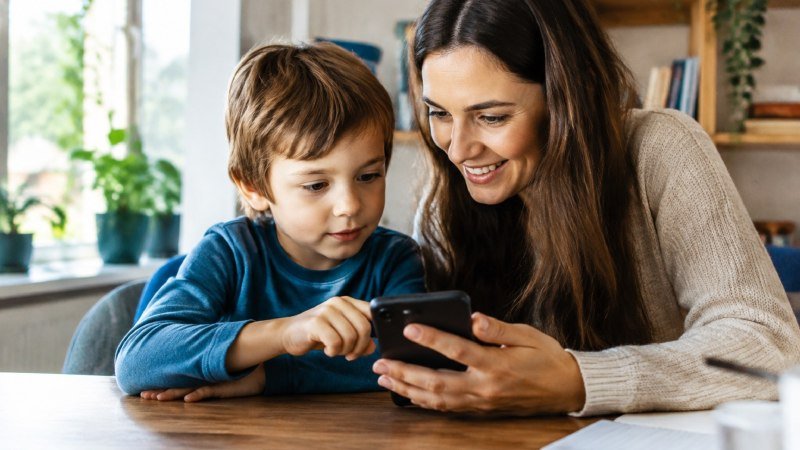
A mom hands over the iPad after dinner. Forty-five minutes later, her five-year-old is still tapping, glassy-eyed, and she feels good about it. Surely that’s a lot of English? Not really.
Where the ‘more minutes, more words’ idea came from
The idea comes from adult study habits. Cram for hours, pass the exam. It stuck, and parents applied it to small children without checking whether it fit (it doesn’t). Add the guilt of paying for a popular kids english language iPhone app, and the urge to get your money’s worth through sheer minutes is hard to resist.
Here’s what most people miss: a young child’s attention isn’t built for marathons. Past about 10 to 15 minutes, a four-year-old is mostly tapping on autopilot.
What 10-minute sessions actually do for a 4-7 year old’s memory
Short bursts work because little brains hold new words best when they come back often, with gaps in between. Teachers call it spaced practice. In practice, it looks like this:
- Hear it, say it, use it. One topic, a handful of words, a song to finish.
- Sleep does the filing. Words met at 5 pm are stronger by breakfast.
- Fresh attention. The child quits while it’s still fun, so tomorrow isn’t a battle.
Ten minutes, five days a week, beats one hour on Sunday. Every time.
What makes a kids’ English iPhone app popular in 2026 (and what the App Store ratings don’t tell you)
Star ratings measure how loud an app is, not how well it teaches. A popular kids’ English language iPhone app can sit at 4.8 stars because the rewards are flashy, and a four-year-old still can’t say “apple” aloud after a month. Look past the number. Check what the app asks your child to do.
Ad-free, kid-safe listed and privacy-first: the checks to run before downloading
Start with the App Privacy label on the listing. It takes about 30 seconds (and most parents never scroll that far). Then run this short list:
- No ads at all, including “sponsored” banners tucked between games.
- A kid-safe listing, which signals an outside party looked at how the app treats children.
- Voice data kept on the device. If a speaking feature exists, find out whether recordings leave the phone.
- No pop-up purchases a small finger can tap by accident.
Speaking games, like English and Spanish voice-recognition play, are worth a close look here. They’re only a good idea if privacy holds up.
Independent play for pre-readers: why audio guidance and no-reading design matter
A four-year-old can’t read the instructions. Simple as that.
If a parent has to sit and translate every screen, the app isn’t teaching independently; it’s just a second job for you. Spoken prompts, clear pictures, and short games let a child press play and get on with it. In practice, 5 to 10 minutes of that beats a long, supervised slog. And that’s the real point behind the myth: short, self-led sessions work for this age.
Speaking, not just tapping: how short sessions can build real English
Does your four-year-old actually say the words, or just poke at the screen until something sparkles? Most parents can’t tell. A popular kids’ English language iPhone app can look busy and still teach almost no speech.
Ten minutes of talking beats thirty minutes of tapping. Every time.
How on-device voice games give instant feedback on pronunciation (English and Spanish)
Voice games ask the child to say a word aloud, then show right away how close they got. That quick loop is what a short session needs — there’s no waiting for a grown-up to correct anything. Currently, this speaking feature covers English and Spanish only.
For safety-minded parents, the detail that matters is where the listening happens. When speech is processed on the device itself, no voice recordings get uploaded or stored, and no internet connection is needed. Ask that question before you download anything that wants a microphone.
Songs, stories and printables that stretch one short session across a whole day
Here’s the trick most families miss. The app session is the spark, not the whole lesson.
- Songs: hum the same tune in the car and the words come back for free.
- Stories: one short tale at bedtime repeats vocabulary in a new setting.
- Printables: a worksheet at the kitchen table adds letter and handwriting practice, screen-free.
Add a progress report you can glance at weekly, and you’ll see whether those small bursts are adding up.
A realistic weekly routine for limited screen time, and how to tell if it’s working
Ten minutes. That’s all most 4-7 year olds can give a language activity before attention drifts, and it’s plenty. A popular kids’ English language iPhone app doesn’t need a daily hour to work. It needs a rhythm you can actually keep.
Here’s a routine that holds up in real households (the kind with dinner to cook and shoes to find):
- Mon, Wed, Fri: one 10-minute session of games, then one song or story.
- Saturday: a printable worksheet, so the words land on paper too.
- Sunday: five minutes of asking your child to say the new words aloud.
Using learner profiles and badges to see progress without hovering
Hovering kills the fun. Separate learner profiles solve half of that, because each child gets their own path and nobody’s progress gets overwritten by a sibling. Then check the dashboard once a week. Badges show which lessons got finished, so a glance tells you what’s moving. No interrogating required.
Good signs? Your child names objects around the house in English, or hums the songs unprompted.
Trial first: how to test an app for a week before paying for a yearly plan
Don’t pay on day one. Use a free trial and treat it as a seven-day experiment. Does your child ask to play? Do they say words aloud, or just tap? Is the app ad-free, with nothing pulling them off task? If the answers are yes by day five, an annual plan makes sense. If not, you’ve lost nothing.
Ten focused minutes beat forty distracted ones. That’s the thread running through everything above, and it’s good news for any parent guarding screen time. A child of four or five doesn’t need a marathon. They need a short, predictable window with songs, games, and a chance to say words out loud.
So the next time a popular kids’ English language iPhone app tops the charts, look past the star count. Check that it’s ad-free, kid-safe listed, and playable without reading. Then ask the harder question: will my child actually speak, or just tap? Voice games that run on the device (English and Spanish, for now) answer that one fast.
The practical next step is simple. Pick one app with a free trial, set a timer for ten minutes, and run it for seven days. Watch the badges on the learner profile, note which words your child starts using at the dinner table, and only then decide on a yearly plan. A week of honest testing tells you more than any review ever will.


